
Download Musicy – record radio, radio station, audio recording, MP3, global stations, music, talk shows, podcast, free app, Android
Overview
Musicy is a free Android application designed for users seeking a powerful tool to record and manage audio from multiple radio stations simultaneously. The app serves as a digital archive for live broadcasts, enabling listeners to capture programs without the need for constant monitoring. This functionality is particularly beneficial for individuals who want to preserve favorite music, talk shows, or international broadcasts for later playback. The app’s core purpose lies in bridging the gap between live radio consumption and on-demand listening, offering a practical solution for media enthusiasts, language learners, and content curators.
Target users include audiophiles, podcast creators, students, and anyone interested in accessing global radio content. The app’s ability to draw from a worldwide database of stations makes it a versatile utility for exploring diverse cultures, languages, and genres. Whether you're tuning into a jazz program from Paris or a political discussion from Buenos Aires, Musicy provides access to a broad spectrum of audio content. Its role in the mobile app ecosystem is notable, as it fills a niche for users seeking offline access to live radio without relying on third-party streaming platforms.
The developer, Musicy, has positioned the app as a lightweight, efficient tool focused on core functionality. Although no additional background on the developer is available, the app’s consistent release history and stable updates suggest a dedicated team. Real-world use cases include archiving interviews, collecting music from niche stations, and building personal audio libraries for educational or entertainment purposes. The app’s free pricing model enhances its accessibility, making it a valuable resource for users across various regions and economic backgrounds.
Key Features & Functionality
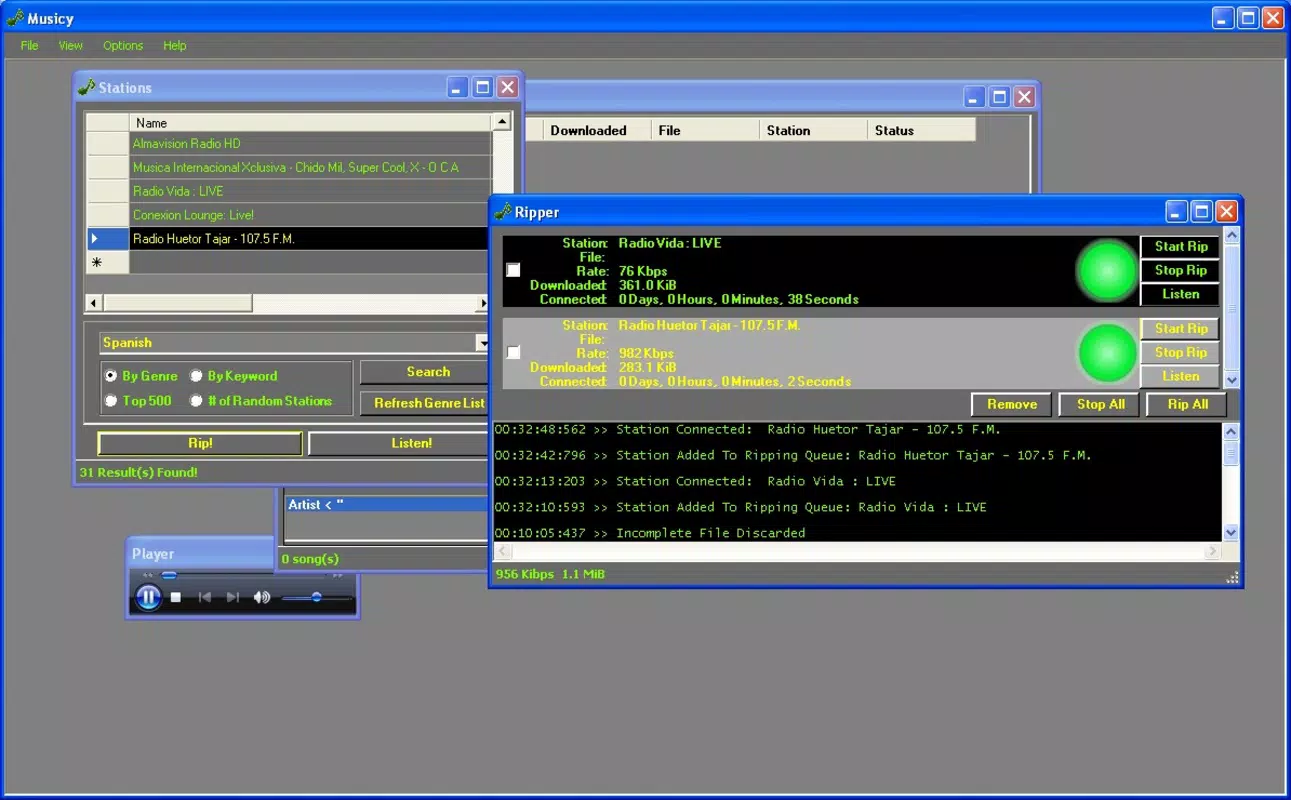
- Simultaneous Recording: Musicy enables users to record multiple radio streams at once, ideal for capturing overlapping programs from different stations. This allows listeners to preserve multiple shows without missing a single segment.
- Global Radio Station Access: The app connects to a worldwide database of radio stations, offering access to a diverse range of genres, languages, and programming formats, from classical music to live sports commentary.
- MP3 File Saving: All recordings are saved in MP3 format, ensuring broad compatibility with smartphones, computers, and media players. This format choice supports efficient storage and playback across devices.
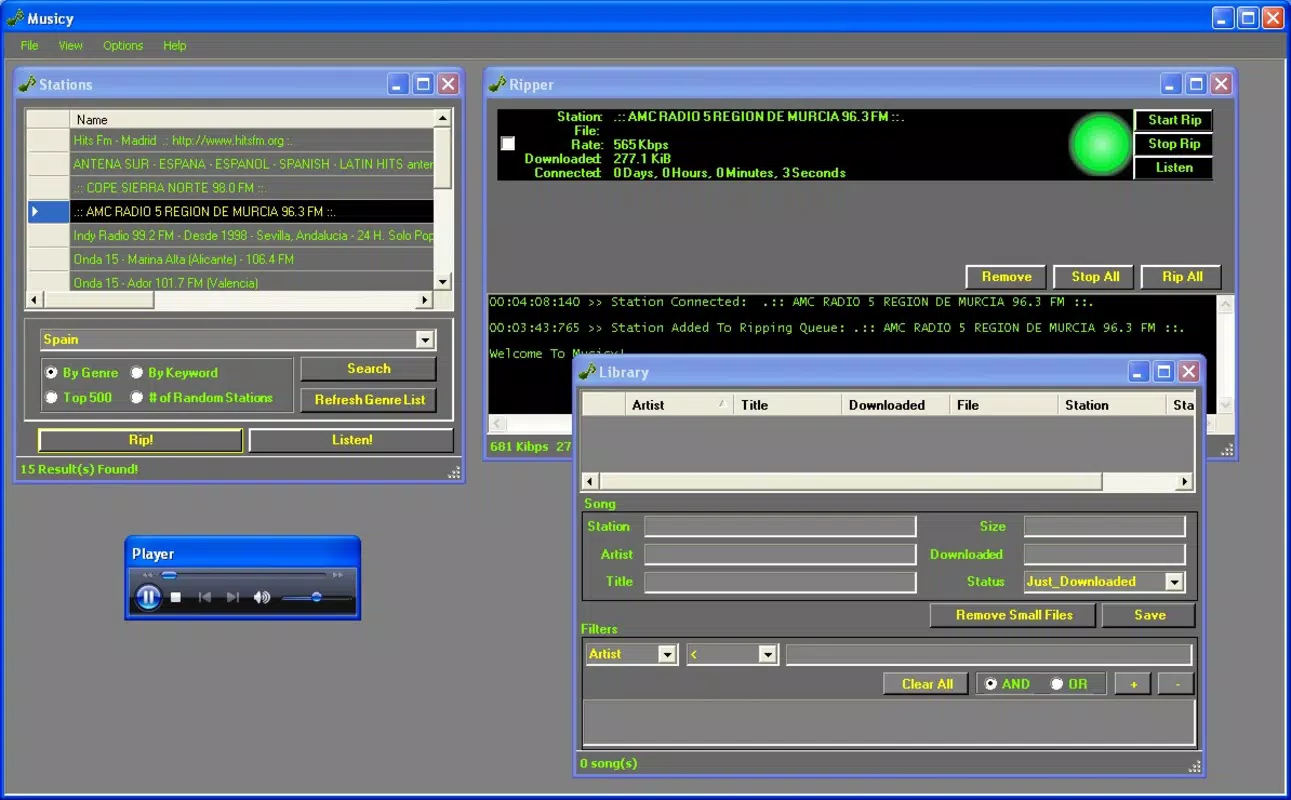
- Organized Library Management: Recorded audio is automatically categorized, allowing users to browse, search, and retrieve files by station, date, or title. This structured approach simplifies long-term content management.
- Data Editing Capability: Users can edit metadata such as title, artist, and date, which enhances personalization and improves file identification within the library.
For example, a user in Tokyo could record a morning news segment from Berlin, a jazz mix from New Orleans, and a cultural talk show from Nairobi—all at the same time. Later, they can label each file with descriptive tags and organize them into folders. This feature set makes Musicy a practical tool for content creators, researchers, and casual listeners alike who value flexibility and control over their audio archives.
Interface, UX & Performance
The user interface of Musicy is designed with functionality and clarity in mind. The layout centers around a main dashboard displaying active recordings, a list of available stations, and access to the personal library. Navigation is straightforward, relying on tab-based menus and intuitive icons, which reduces the learning curve for new users. Visual design is minimalistic, prioritizing usability over decorative elements, which contributes to faster load times and reduced battery consumption.
Users can easily switch between recording, browsing, and managing their library with minimal taps. The app’s responsiveness is consistent across various Android device categories, from budget smartphones to high-end models. Although the developer did not list formal performance metrics, the app maintains stable operation during extended recording sessions, suggesting efficient resource management. There are no reported crashes or freezes in the available user feedback, indicating solid stability.
Performance is further enhanced by the app’s lightweight footprint—only 25.5 MB in size—making it suitable for devices with limited storage. The interface remains smooth even when multiple streams are active. Users can expect quick access to recordings and seamless transitions between features. The overall user experience is optimized for practicality, focusing on core audio recording and organization tasks without unnecessary distractions.
Platform Compatibility & Technical Requirements
Musicy is available exclusively on the Android platform. The current version is 2.0.0, with a file size of 25.5 MB. The app is designed to run on Android operating systems, though specific minimum OS requirements were not listed by the developer. Compatibility information was not fully disclosed, so users should ensure their device meets general Android standards for app installation and audio streaming.
Given the app’s size and functionality, it is likely compatible with Android 5.0 and above, though this is not confirmed. The developer did not specify whether the app supports tablets, wearables, or other Android-based devices. Users should verify compatibility with their specific device model and OS version before installation. No additional hardware requirements were mentioned, suggesting standard audio input/output capabilities are sufficient for operation.
Pros and Cons
- Free to download and use with no in-app purchases
- Supports simultaneous recording from multiple radio stations
- Records audio in widely compatible MP3 format
- Organized library with customizable metadata editing
- Access to a global database of radio stations
- Developer did not provide detailed system requirements
- Platform availability limited to Android only
- No information on cloud sync or backup features
- Interface may appear basic to users expecting modern design trends
- Compatibility with newer Android versions not confirmed
FAQ
Is Musicy available on iOS?
Musicy is currently available only on the Android platform. There is no official iOS version released at this time.
Can I record multiple radio stations at once?
Yes, Musicy allows simultaneous recording from multiple radio stations, enabling users to capture several programs without missing any content.
Are recordings saved in MP3 format?
Yes, all audio recordings are saved in MP3 format, ensuring compatibility with most devices and media players.
How do I edit the details of my recordings?
The app includes a metadata editing feature that allows users to modify titles, artists, dates, and other file information for better organization.
Is the app safe to download and use?
As a free Android app from a known developer, Musicy is considered secure. However, users should only install it from trusted sources to avoid potential risks.
Final Thoughts
Musicy stands out as a focused, efficient tool for anyone who values the ability to record and organize live radio content across the globe. Its core strengths—simultaneous recording, MP3 output, and a structured library—make it a compelling choice for users seeking offline access to diverse audio programming. While it lacks some modern features like cloud sync or cross-platform support, its simplicity and reliability are significant advantages.
Those who benefit most include content collectors, language learners, podcast enthusiasts, and users in regions with limited streaming access. The app delivers strong value as a free utility that enhances how people interact with radio media. With a lightweight design and intuitive workflow, Musicy proves that powerful functionality doesn’t require complexity.
Download Musicy now


